← All free tools
TEAMS PHONE REVIEW · FREE · READ-ONLY
Are Teams Phone licenses held by people who can make a call?
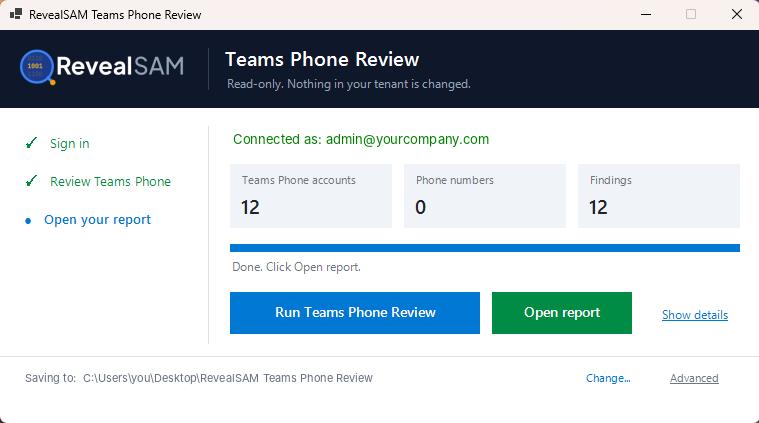
A Teams Phone license does nothing until the person has a number and calling is turned on. This tool lists who is licensed and shows who is not set up to use it.
WHAT IT LOOKS AT
- Everyone licensed for Teams Phone
- Licensed accounts that are disabled
- Licensed accounts with no phone number
- Licensed accounts where calling is not turned on
HOW IT WORKS
- Download the tool and double-click the launcher. There is no installer.
- Sign in and click Run. One sign-in to Microsoft Teams.
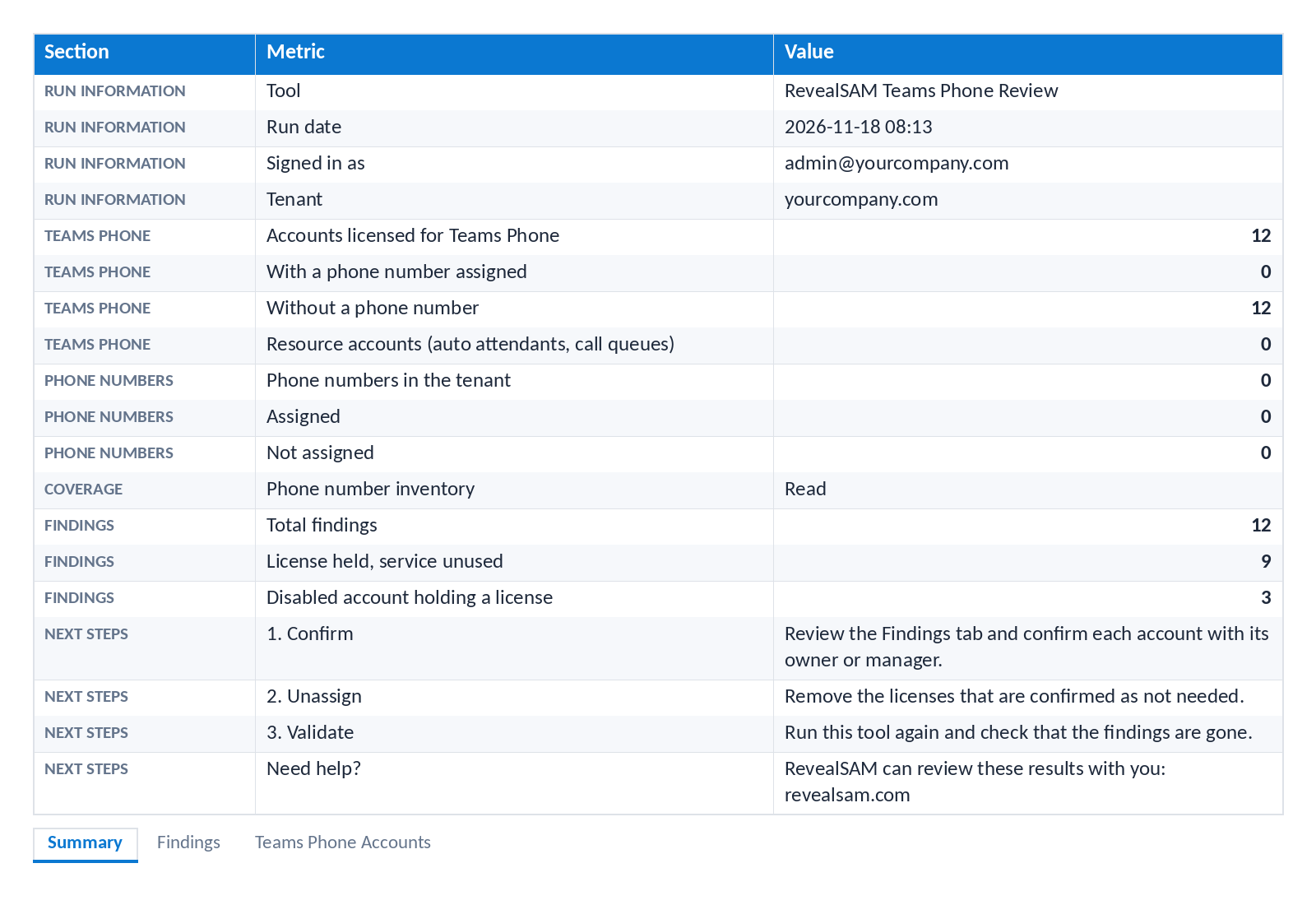
- Open your report. One Excel workbook with a summary, the findings, and the full list of licensed accounts.
WHAT YOU NEED
- A Windows computer. The first time, the tool may add Microsoft's own PowerShell modules to it.
- An account with this role: Teams Administrator
- Your approval when Microsoft asks to grant read-only access.
GOOD TO KNOW
- The tool reads license, number and calling state. It does not read call history, so it cannot tell you who has a number and never uses it.
- A black PowerShell window appears for a moment when the tool starts, then hides. If something goes wrong it comes back and shows what happened, which helps with troubleshooting.
- The tool reads from your tenant and changes nothing. The report and a run log are saved to a folder on your Desktop and go nowhere else.
After you run it
- Confirm. Check the findings with the people who know the accounts.
- Act. Make the changes you are sure of.
- Validate. Run the tool again and see that the findings are gone.
What the report does not do. It does not tell you what to change, what a change is worth, or how to approach Microsoft. That is the work I do with clients.
Want a second set of eyes on the findings?
I see the same patterns in many of the organizations I work with, and I can usually tell you quickly which findings matter. The first hour is free.