← All free tools
POWER PLATFORM PREMIUM REVIEW · FREE · READ-ONLY
Who uses premium apps and flows, and do they hold a premium license?
A Power Apps app or Power Automate flow that uses a premium connector needs a premium license for the people who use it. This tool finds the premium apps and flows, names the people connected to them, and shows who holds no license for it.
WHAT IT LOOKS AT
- Apps and flows that use premium connectors or features
- The people and groups connected to each one
- The Power Apps and Power Automate licenses each person holds
- People connected to something premium who hold no premium license
HOW IT WORKS
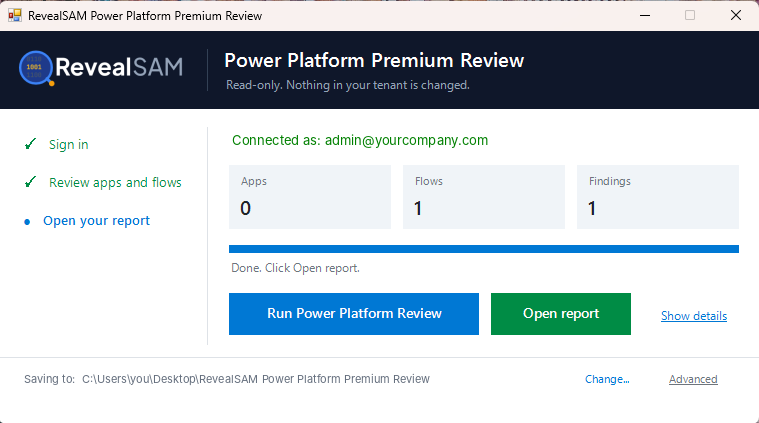
- Download the tool and double-click the launcher. There is no installer.
- Sign in and click Run. One sign-in to Power Platform. A second sign-in to Microsoft 365 follows only when something premium is found.
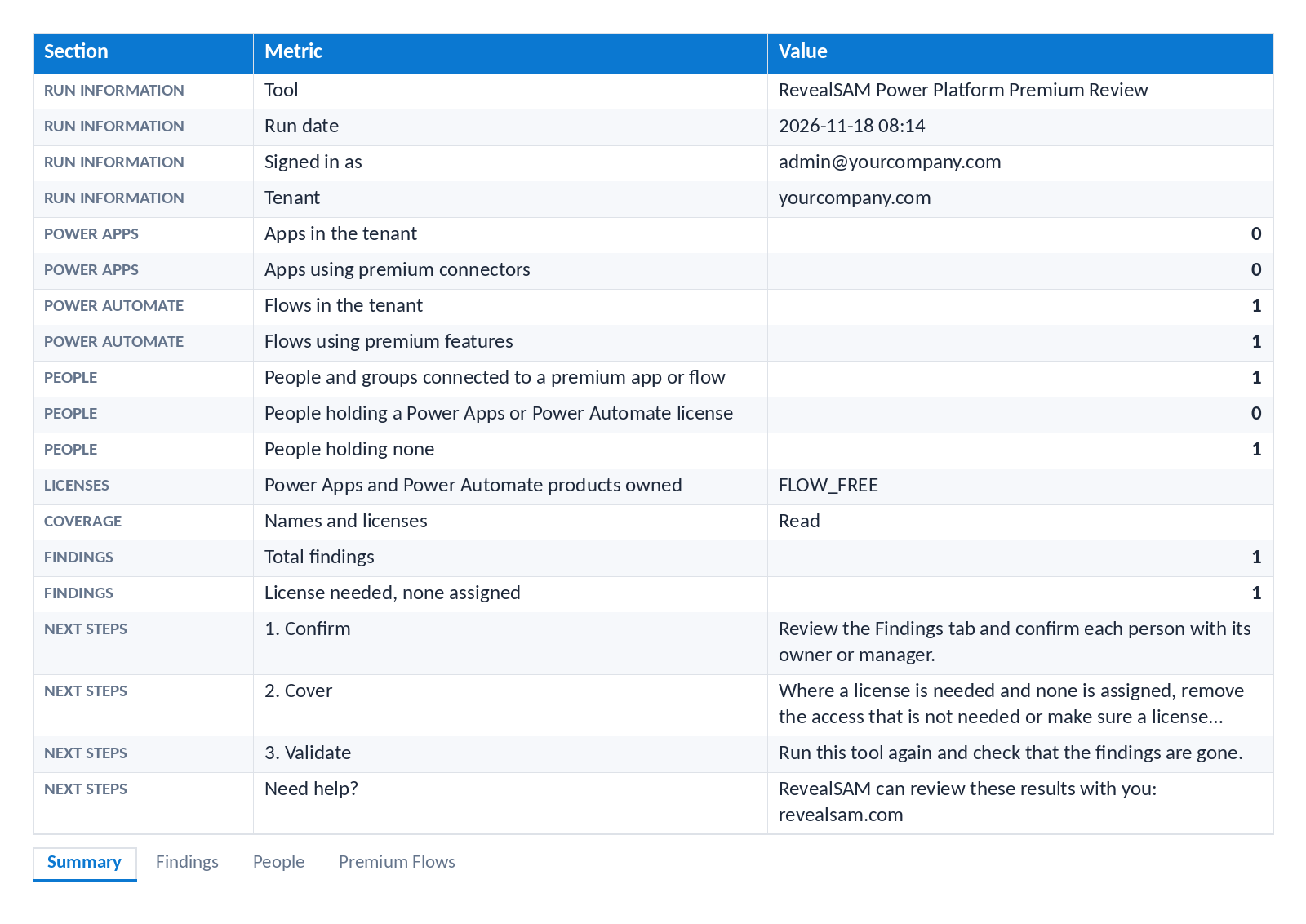
- Open your report. One Excel workbook with a summary, the findings, the people, and the premium apps and flows.
WHAT YOU NEED
- A Windows computer. The first time, the tool may add Microsoft's own PowerShell modules to it.
- An account with this role: Power Platform Administrator, with read access to the directory
- Your approval when Microsoft asks to grant read-only access.
GOOD TO KNOW
- Dynamics 365 licenses, per-app plans and pay-as-you-go environments can also cover premium use. The tool does not check those, so confirm before acting.
- The free Power Automate license that comes with Microsoft 365 is shown, and does not count as cover.
- A black PowerShell window appears for a moment when the tool starts, then hides. If something goes wrong it comes back and shows what happened, which helps with troubleshooting.
- The tool reads from your tenant and changes nothing. The report and a run log are saved to a folder on your Desktop and go nowhere else.
After you run it
- Confirm. Check the findings with the people who know the accounts.
- Act. Make the changes you are sure of.
- Validate. Run the tool again and see that the findings are gone.
What the report does not do. It does not tell you what to change, what a change is worth, or how to approach Microsoft. That is the work I do with clients.
Want a second set of eyes on the findings?
I see the same patterns in many of the organizations I work with, and I can usually tell you quickly which findings matter. The first hour is free.